

Team Settings
Settings is where you configure a team: who belongs to it, what it connects to, what it sends notifications about and what it costs. Your role decides which pages you can open and which settings you can change. If you can see a page but not edit it, its values are shown greyed out instead of hidden.
General
Event Collection holds the AI Insights switch, which turns AI analysis of your data on or off for the whole team.
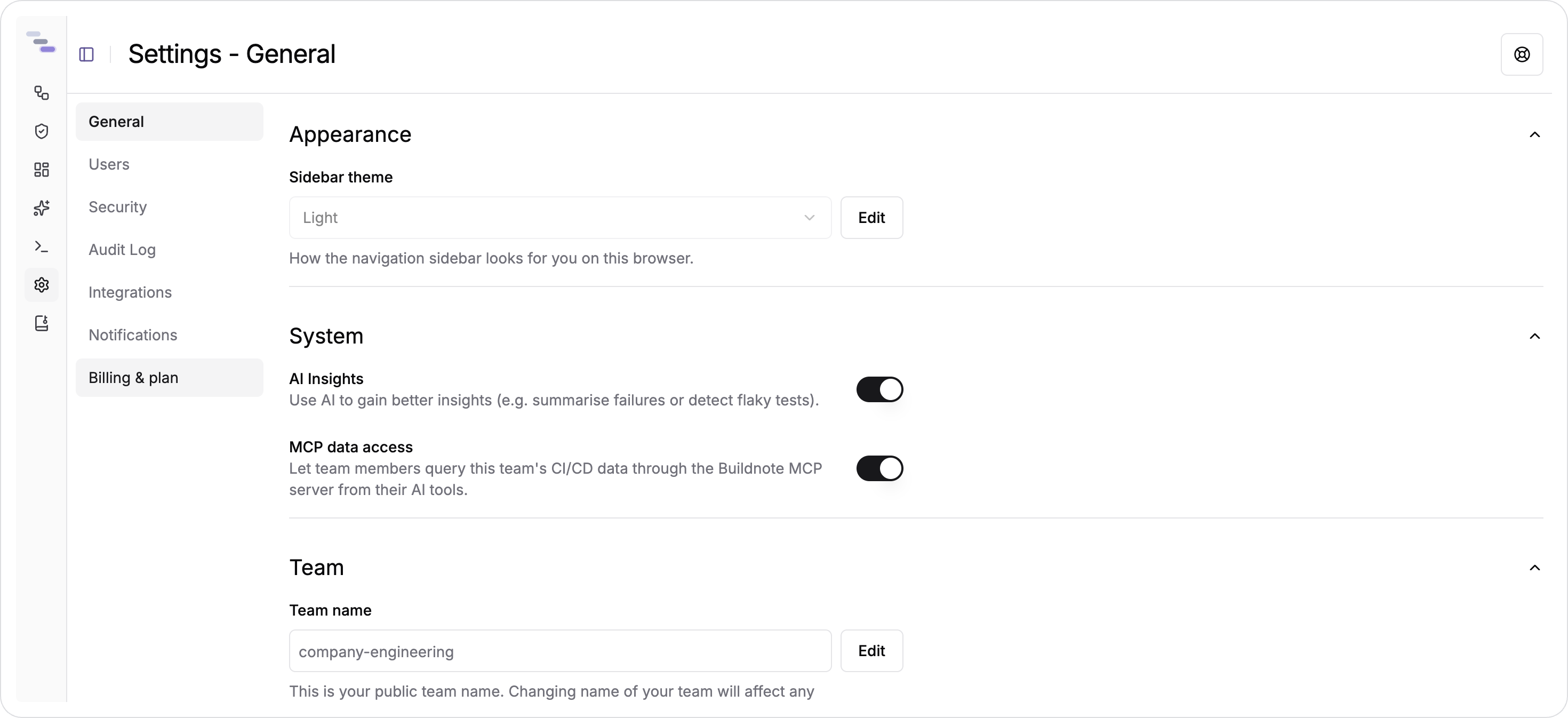
Admins and Billing Managers can change this switch. Other members can see whether it is on. See AI Insights for what it enables and what it costs.
Team holds the team name. Renaming a team changes the URLs that include it, so bookmarks and shared links that use the old name stop working. If you need to rename a team, do it early and avoid renaming it often. The danger zone at the bottom of the page deletes the team and its data. It is disabled while something prevents deletion, such as an active subscription.
Users
Admins invite members by email address. The list shows both current members and pending invitations, with their status.
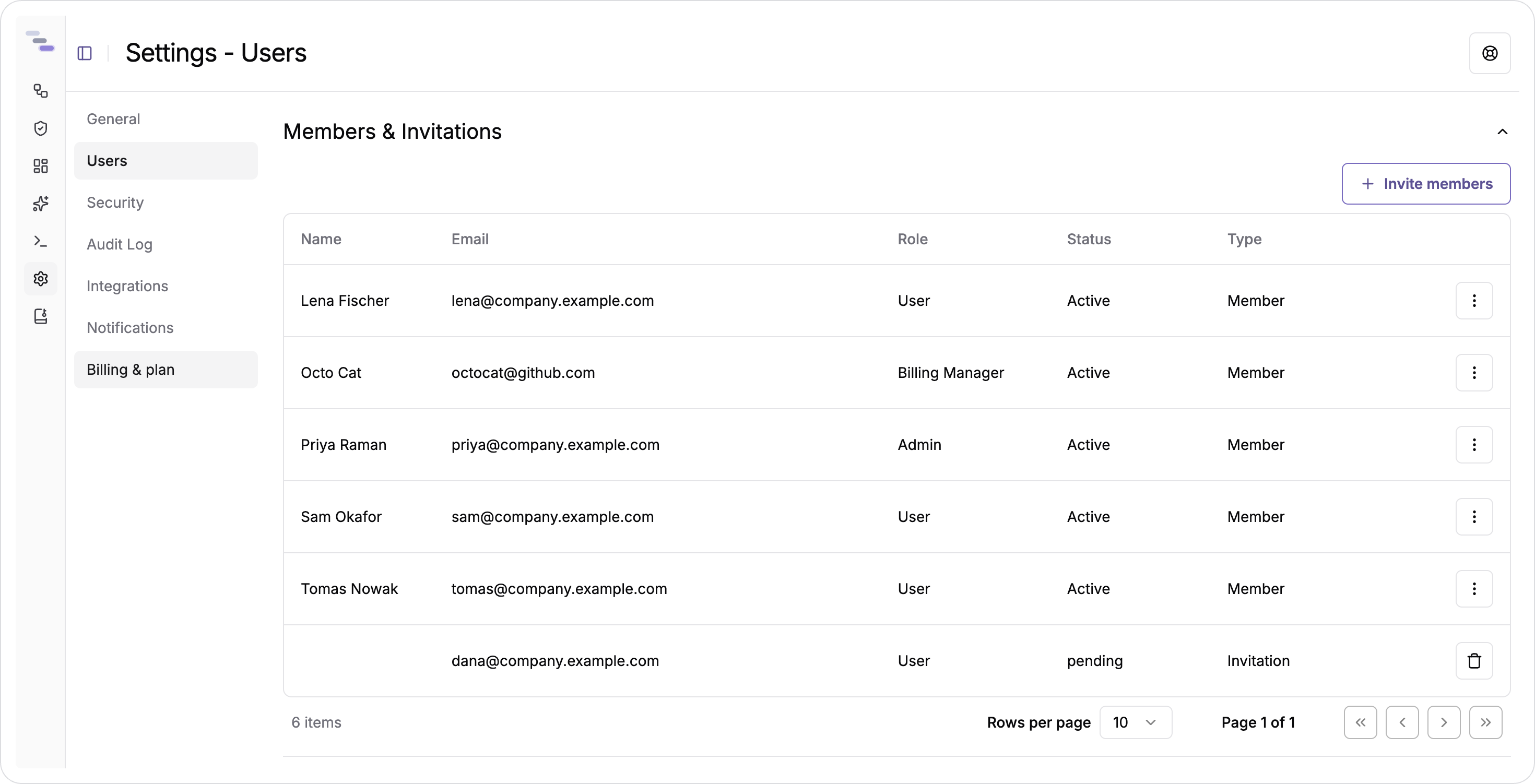
From the same list, you can change a member's role or remove them. Both actions ask you to confirm. An invitation stays pending until the person accepts it, and you can withdraw it before then.
There are three roles. A User can read builds and events, use dashboards and the query editor, and manage notification subscriptions. An Admin can also manage members, set up integrations, manage API keys, rename or delete the team, and see plan and usage details. A Billing Manager can also change the plan and manage payment methods, subscription details and invoices. You start with this role on the team created for you when you sign up.
Some features depend on the plan, not the role. Teams on the Free plan collect events only through a version control integration, so API keys, the query editor, dashboards, notifications and AI features are not available until the team upgrades.
Security
API keys authenticate the CLI and the Data API. Create a key with a name and copy it straight away: the key is shown only once and can't be retrieved later.
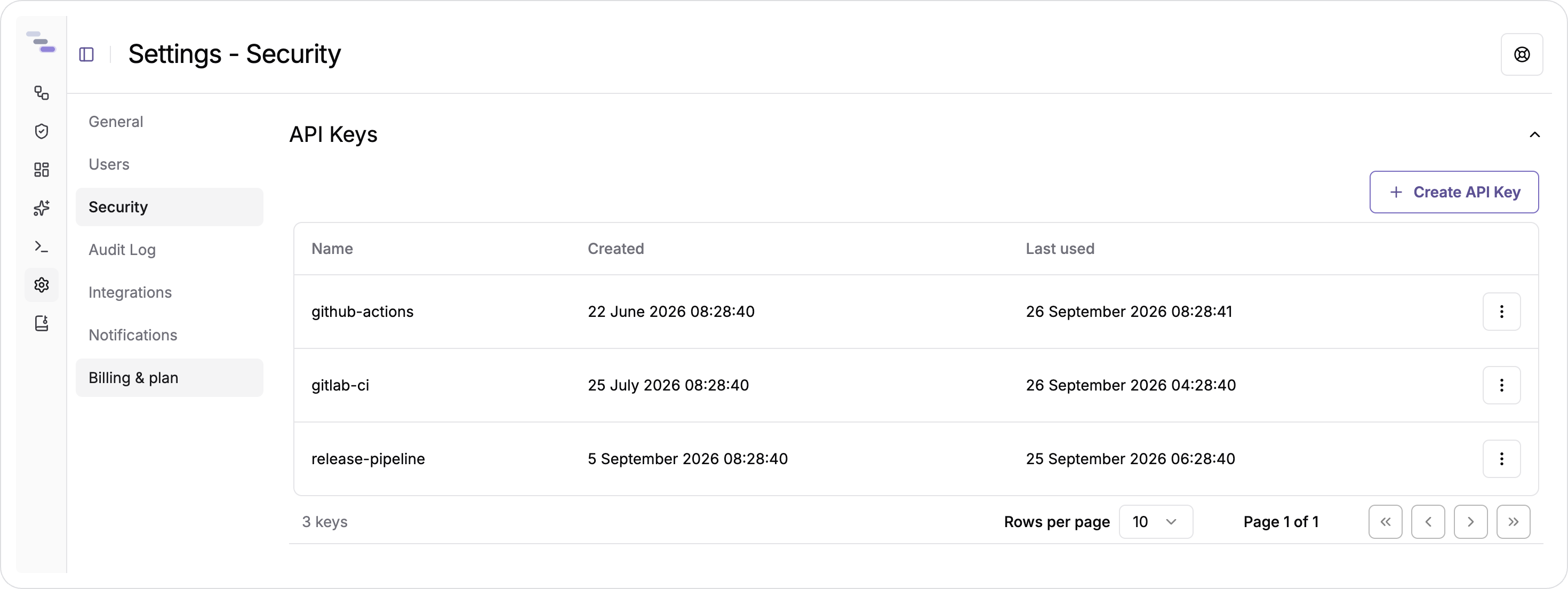
The list shows when each key was created and when it was last used, which helps you find keys nobody needs any more. You can delete any key to revoke it. Give each pipeline its own key instead of sharing one, so revoking a key only affects the pipeline it belonged to.
Integrations
Integrations connect your team to the other systems you use. The page shows the integrations you have connected at the top and the ones available to connect below.
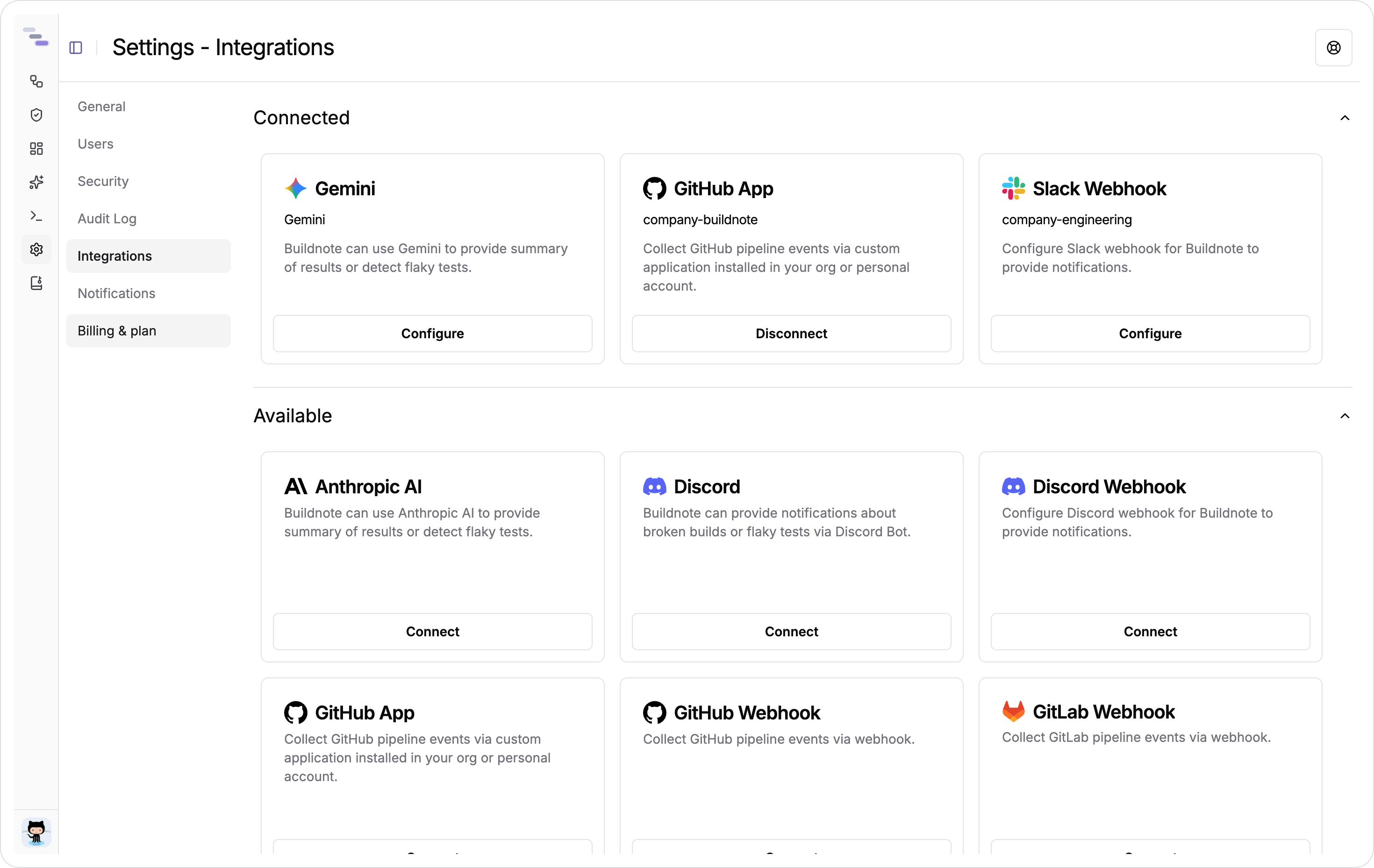
For pipelines and code, the GitHub app records workflow runs and commits with the least setup. If you can't install an app, use a webhook integration for GitHub or GitLab. See the GitHub and GitLab guides.
For messaging, the Slack and Discord integrations install as apps or as incoming webhooks. They provide the channels that notification subscriptions post to.
For identity, SAML SSO connects your organisation's identity provider so members can sign in with their existing credentials.
For AI, the Anthropic, Google Gemini and OpenAI integrations provide the model for failure summaries and the assistant. Each one asks for a name, an API key and a model.
Each connected integration has Configure to edit it and Disconnect to remove it. Disconnecting stops the events or messages that integration delivers. Data that has already been collected is kept.
Notifications
Notifications are organised as subscriptions, grouped by the kind of event, such as failing pipelines and build steps, or failing tests.
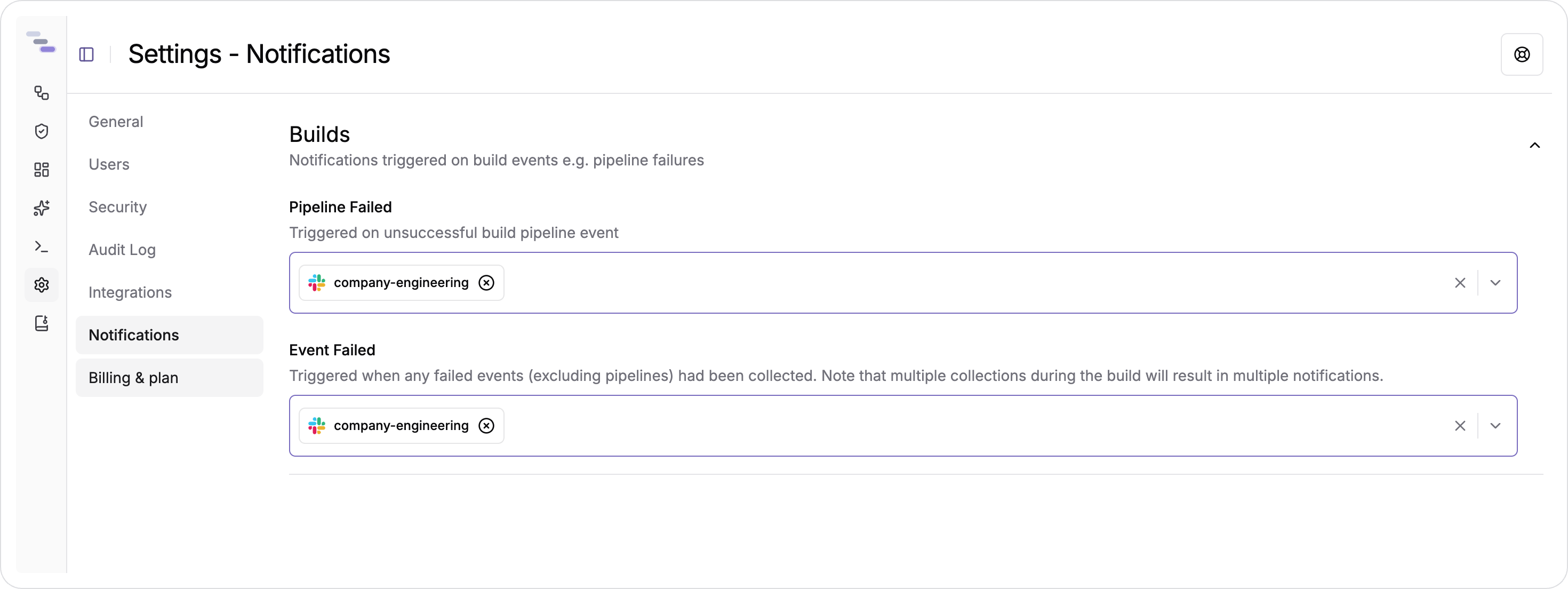
For each subscription, you choose which connected channels receive it. You can pick as many as you need from the channels your integrations provide. A subscription with no channels is turned off. Anyone on the team can manage subscriptions, so each person can follow the pipelines they own instead of everything.
Billing and plan
Billing Managers can see the current plan and the usage that makes up the bill for the current period, including submitters, events, collections and storage. The page also shows subscriptions, payment methods and the billing email. You can download invoices from the list, and upgrade or downgrade the plan from this page.
See the pricing page for the details of each plan.